 Piano Rush
For iPad · now on the App Store
Learn two-hand piano,
one level at a time
A piano rhythm game for kids. Notes scroll from right to left across a grand staff, and children play an on-screen piano with the left hand and the right hand until they can press chords together.

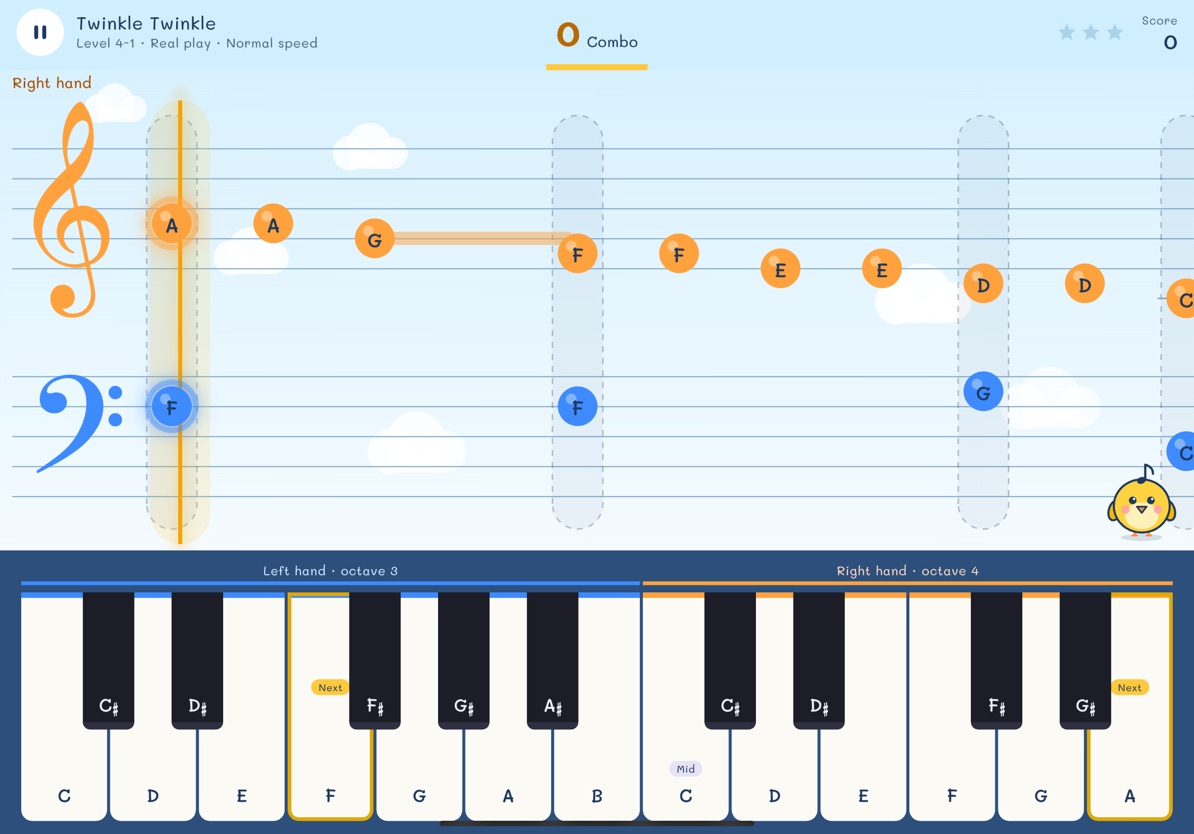
One step at a time, fun in every level
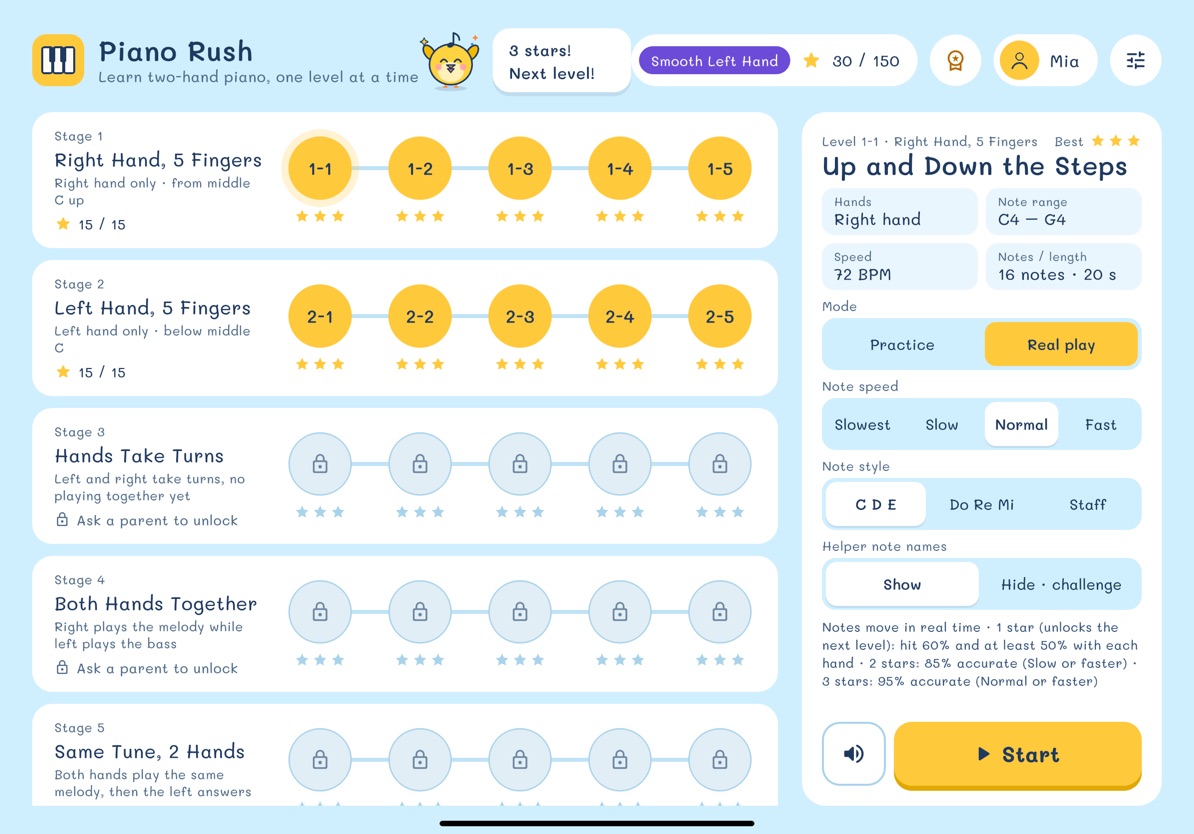
50 levels in 10 stages. Start with the right hand, add the left, then play with both. Public-domain melodies and exercises written for the game. Stages 1-2 are free; the rest open with a one-time purchase.
Color tells the hand
Blue is the left hand orange is the right hand on the notes and on the keys, so a child knows at once which hand to use.
Practice mode
Notes wait at the line until the right key is pressed. No rush, no losing. When ready, go play for real.
Play for real, collect stars
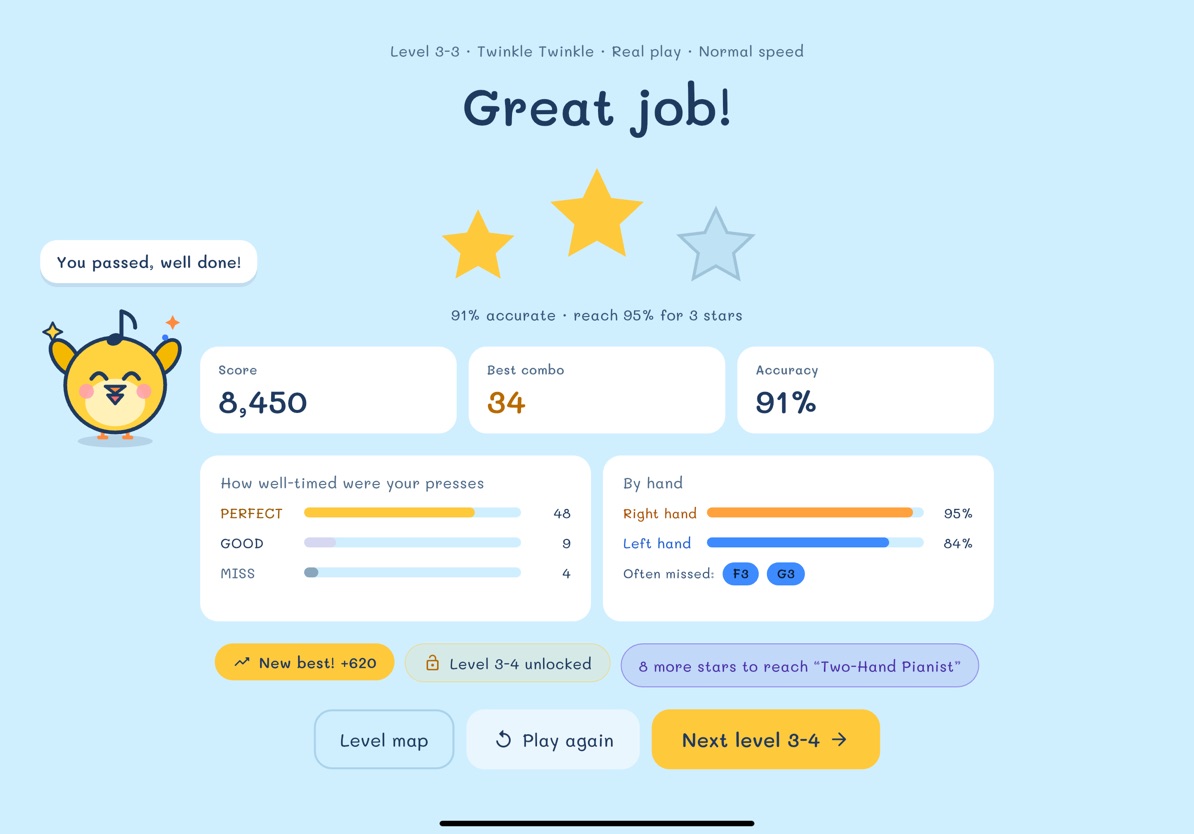
Press on the beat for PERFECT and build a combo. One star opens the next level; up to three stars per level.
Stickers and ranks
A sticker book, pianist ranks and a bar to race your own best score, so there is always a new goal.
The whole family can play
Up to 4 players on one iPad. Each has their own stars, and every song has a family ranking.
Parent area
A 7-day play summary, a daily time limit and a sound delay adjustment, all behind the parent PIN or a question for grown-ups.

Safe for kids
- No ads
- Stages 1-2 are free; unlock the whole game with a one-time purchase, no subscription
- No account, no sign-up
- Works without an internet connection
- No personal data collected, no tracking
- Settings, sharing and purchases sit behind the parent gate; children see no price or buy button
Help and contact
Questions or a problem? Email korn9537@gmail.com.
Which devices work?
iPad with iPadOS 15 or later, in landscape. The on-screen piano takes several fingers at once.
The sound is out of time. What can I do?
The iPad speaker or wired headphones are the most accurate. Bluetooth headphones add delay. A parent can adjust it in Parents › Settings › Timing calibration.
How do I clear or delete my child's data?
Clear a player's stars and progress in Parents › Settings › Data and levels. Delete a player in Parents › Players, and delete the app from the iPad to remove everything.
Does it cost anything more?
Stages 1-2 (10 levels) are free. Stage 3 onward, and stages added later, open with one "Unlock the whole game" purchase. There is no subscription. The price and buy button sit behind the parent PIN or a question for grown-ups, so a child cannot buy by tapping. The purchase goes through Apple, works on every device in a Family Sharing group, and can be restored in Parents › Settings › Data and levels › Purchases. The app has no ads and no outside links a child can tap.